Redesigning annual leave: the product vision
Many employees struggle to utilise their annual leave allowance effectively, resulting in year-end scrambles due to carry-over limits or, worse, losing hard-earned holidays. This challenge goes beyond scheduling; it is a direct contributor to workplace stress, burnout, and poor work-life balance.
I recognised this opportunity to design an all-in-one productivity tool that gives power back to individuals in managing their time. By increasing the likelihood that employees utilise their full annual leave allowance, the application aims to reduce workplace anxiety and support mental health. From original concept, I structured, styled, and deployed the entire solution.
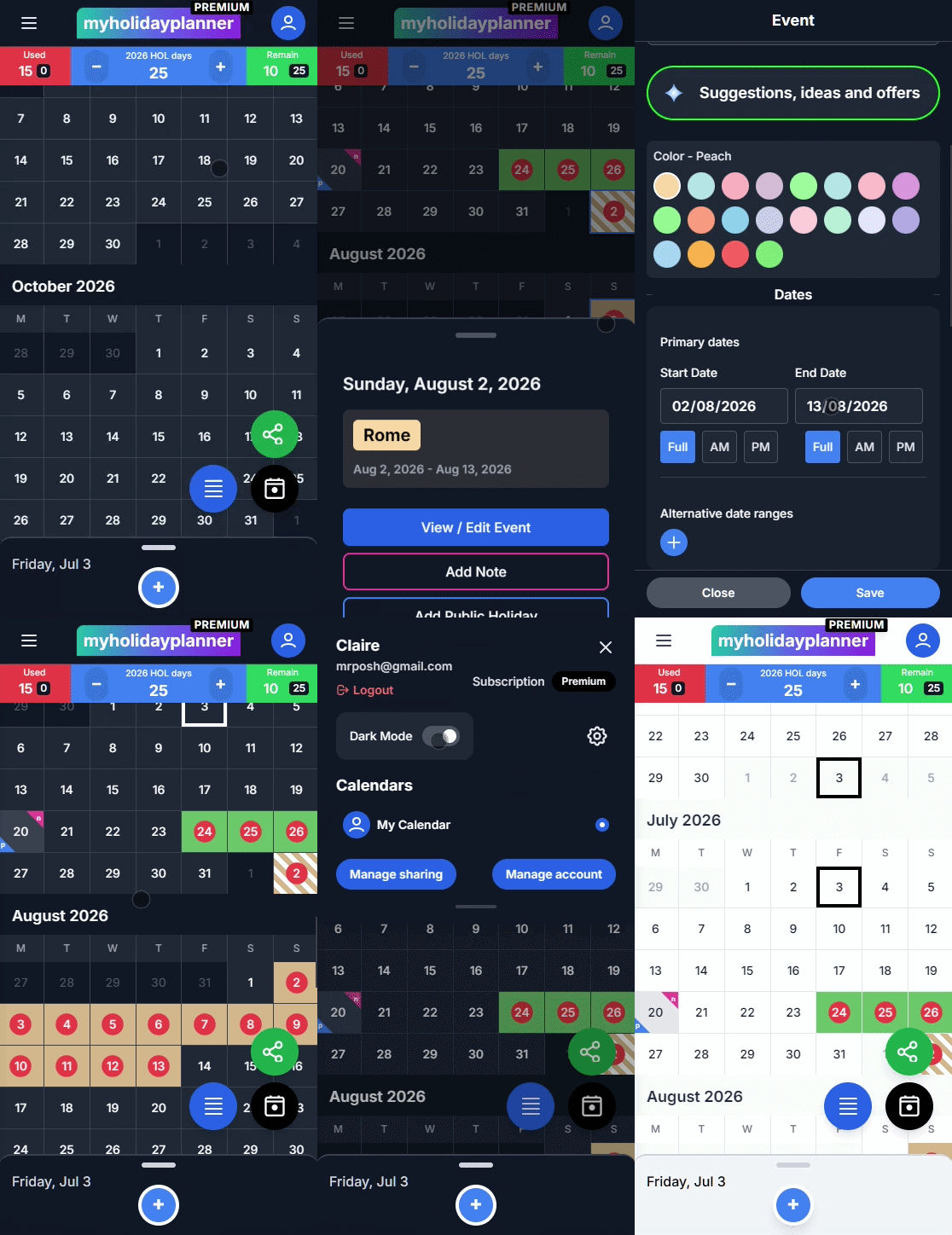
How Might We Statement: How might we design a calendar-driven productivity application that helps users visualise and maximise their annual leave allowance while providing context-rich travel recommendations?
The design strategy: clean interfaces & visual hierarchy
To create an engaging and clean interface, I focused on high-contrast visual grids and simple language cues. I selected a vibrant, colourful theme to differentiate calendar states, and kept typography highly legible so complex annual calculations are readable:
- Easy to use web application & stage flow Designed a seamless user journey through distinct stages. Users start by configuring their annual parameters, move through an intuitive drag-select booking calendar, and transition into discovering context-rich travel recommendations.
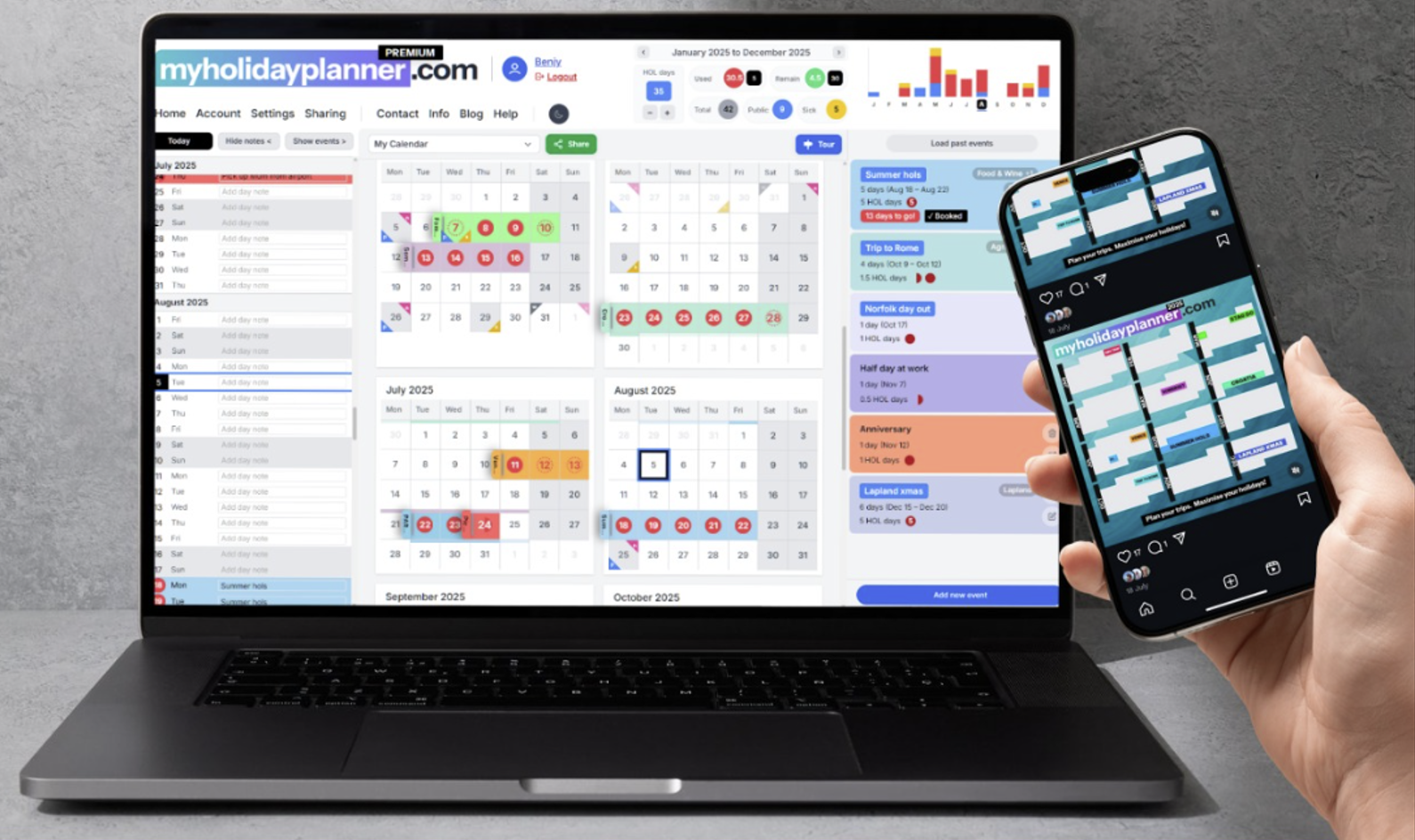
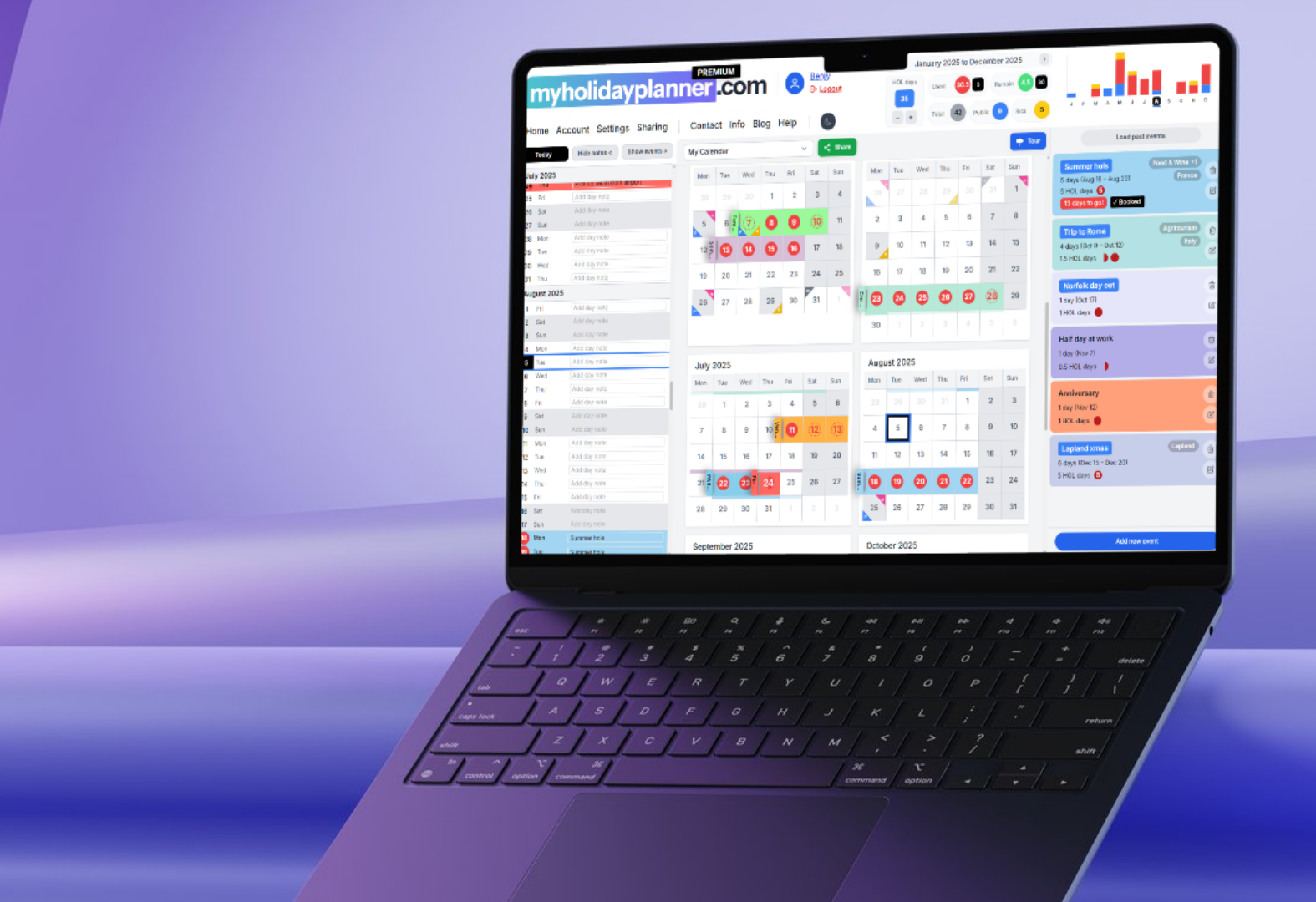
- Colourful UI categorisation Utilises a bright, accessible colour palette to clearly differentiate holiday types (e.g. booked leave, pending approvals, bank holidays, and sick leave), reducing visual clutter.
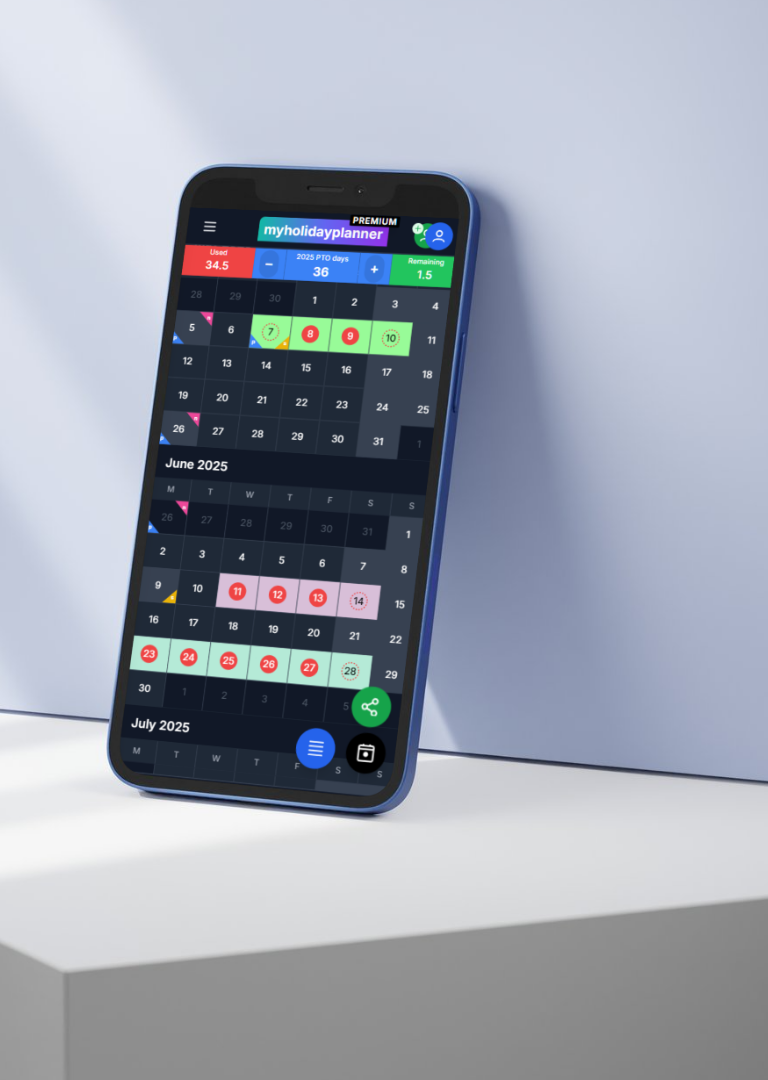
- Custom mobile interface What is a highly complex interactive grid system on desktop has been redesigned into an accessible, responsive mobile version, allowing users to configure bookings and review itineraries on the go.
- Advanced customisation engine Tailors parameters to individual company policies, catering to varied holiday allowances, custom working weeks, rollover limits, and restricted booking windows.
- Social media friendly templates Features one-click visual sharing templates to social platforms, allowing users to export itineraries to share trips with friends and coordinate group schedules.
Visual showcases & interactive controls
The interface elements are designed to balance rich data displays with visual simplicity. Below are the key design outputs from the application:
AI travel researcher on the go
A seamless and intuitive user interface combined with powerful and tailored AI integrations. Enabling users to maximise their well earned holidays.
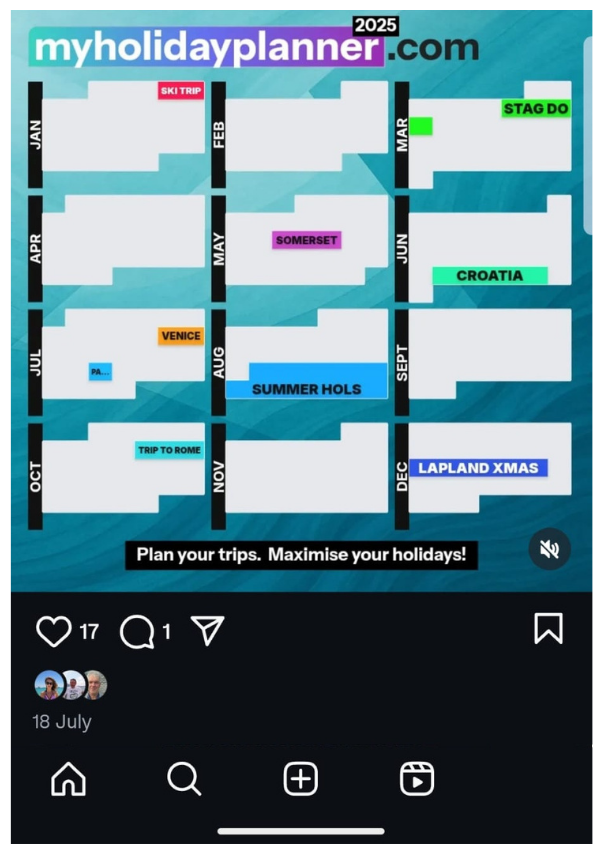
Social sharing templates
Provides pre-formatted, social-media-friendly card exports. Users can share their holiday plans directly with friends, family and followers.
Full-stack architecture & technology selection
As a full-stack product designer, I conducted extensive research to select technologies that guarantee the service is performant, secure, and flexible:
By choosing Next.js for server rendering and Firebase for real-time storage, I designed a fluid user experience where updates to leave allowances are visualised instantly without page reloads.
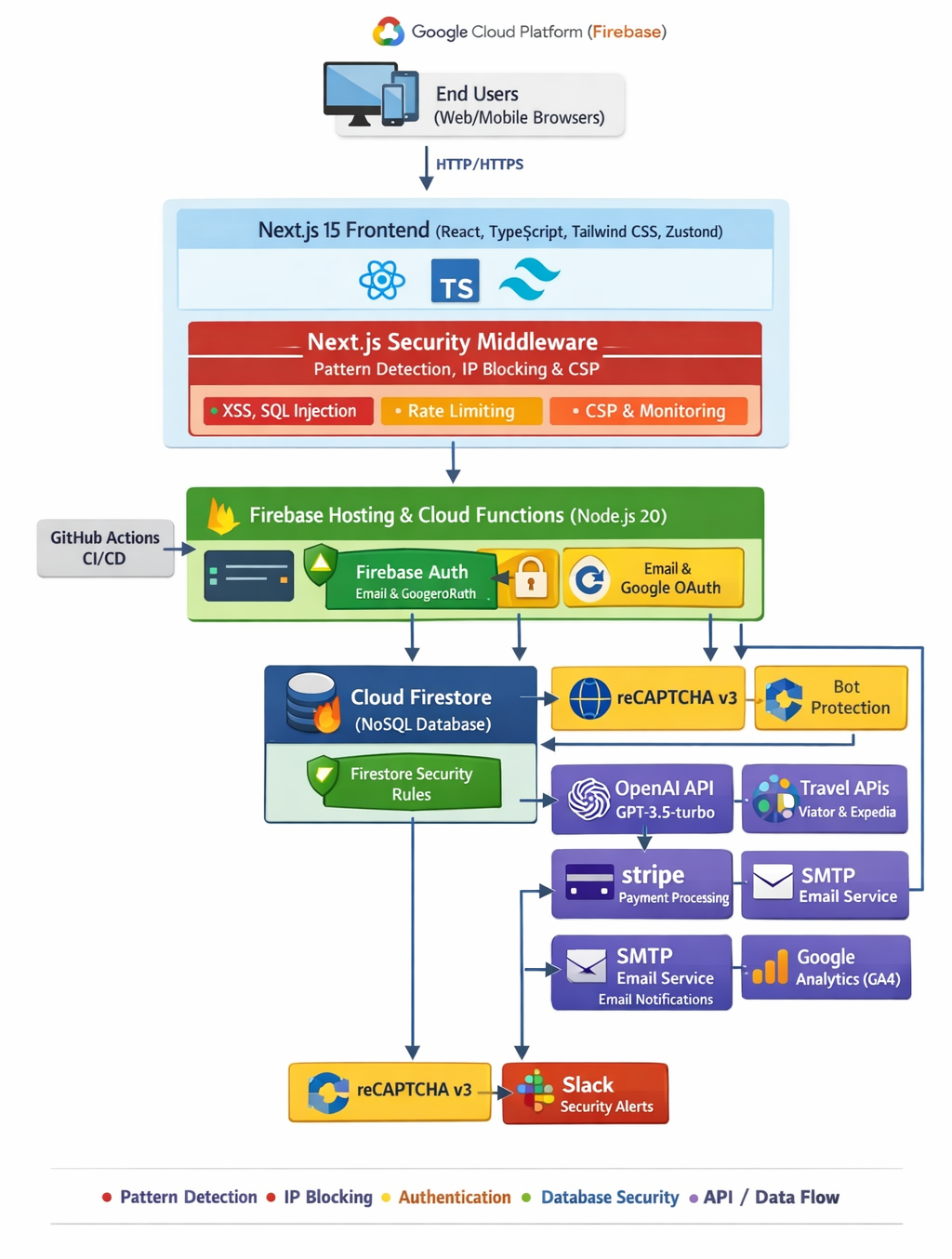
Full-stack development stack architecture detailing data structures, deployment workflows, and database flows.
Reflecting on the design process & next steps
Building My Holiday Planner provided vital insights into designing data-dense calendar applications and implementing consumer-facing artificial intelligence elements.
What went well: visual organisation & real-time feedback
Structuring accrued leave allowances, holiday classifications, and year-round scheduler cards into a clean visual dashboard was highly successful:
- Immediate Visual Feedback: Real-time calculation of accrued leave balances, dynamic calendar updates, and colour-coded statuses successfully reduced year-end booking anxiety.
- Contextual AI Tools: Offering tailored travel recommendations and holiday planning tips directly alongside calendar schedules proved highly engaging and useful.
Next steps: areas for future growth
Moving forward, my next steps would be to explore three key areas of development:
- Native Mobile App: Building a native iOS and Android application using React Native to leverage push notifications, offline calendar editing, and native mobile widgets.
- Proactive AI Enhancements: Shifting the AI assistant from a reactive tool that reviews chosen destinations to a proactive recommender that analyses unused leave slots and suggests new travel ideas and flight/destination packages automatically.
- Accessibility Audits & WCAG AA Compliance: Conducting a full manual accessibility audit (evaluating contrast ratios, screen reader announcements, and keyboard focus states) to certify that all complex calendar tables fully meet WCAG 2.1 AA standards.